
What Is Role-Based Pricing?
WordPress and WooCommerce don’t provide a built-in way to create non-default user roles and set different prices for users who share a particular role. So if you run a private wholesale store, want to offer discounts or personal pricing to your members, or need special pricing based on any other common criteria, you may benefit from the solutions we review below.
You won’t find instructions here on building role-based pricing by writing code. Instead, we aim to guide you through the options the market has to offer for this purpose. We compared the most popular plugins by their features, pricing, interface, and competitive advantages, so you have all the data you need to make the right choice.
Note: these plugins have similar names, so be sure to double-check the developer label to avoid confusion.
Role & Customer Based Pricing for WooCommerce by Meow Crew
Download: Meow Crew website or WooCommerce Marketplace. Pricing: $79 billed annually. Instructions: Docs
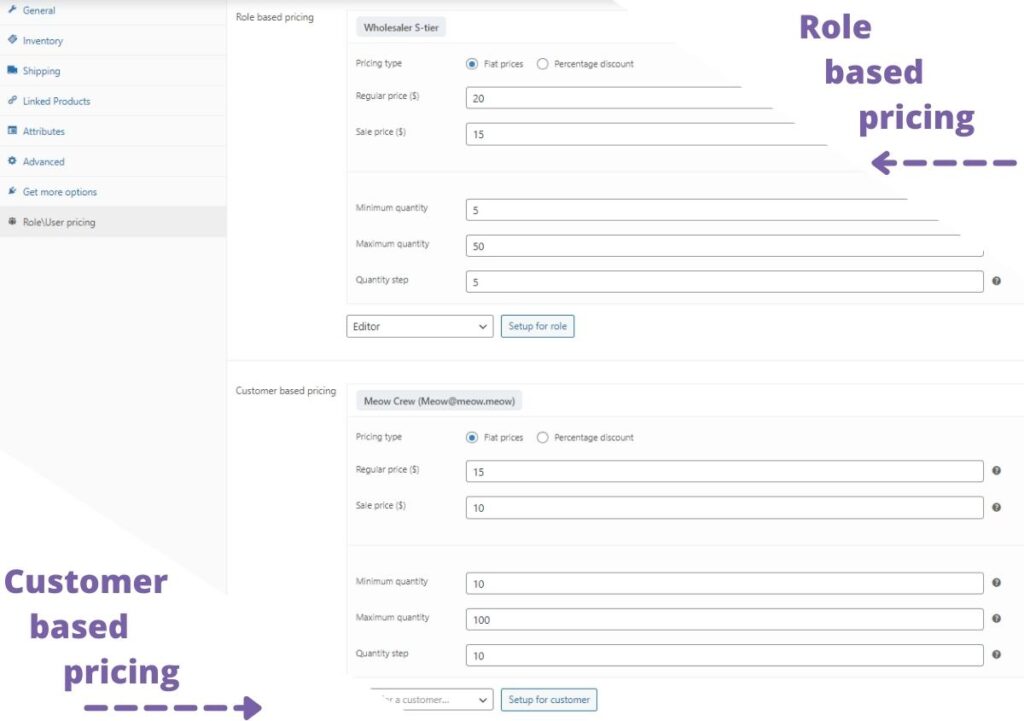
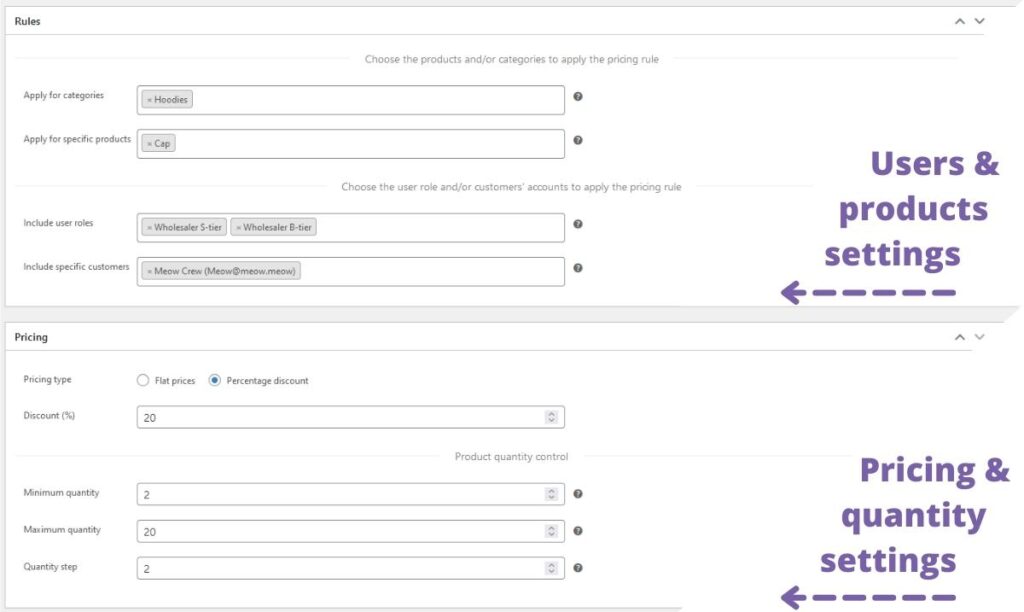
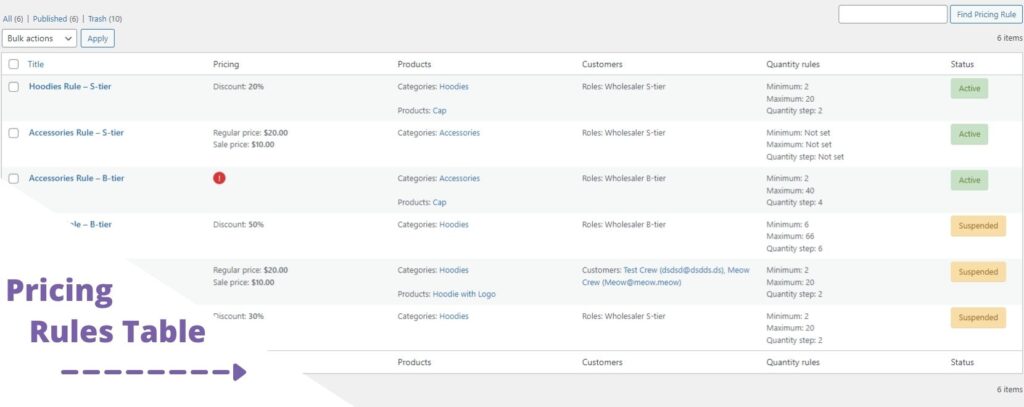
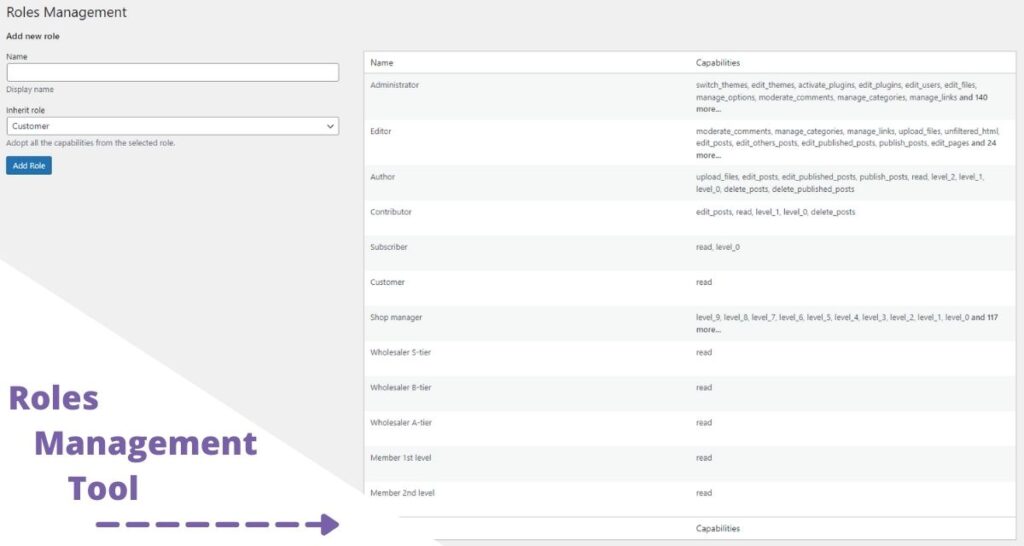
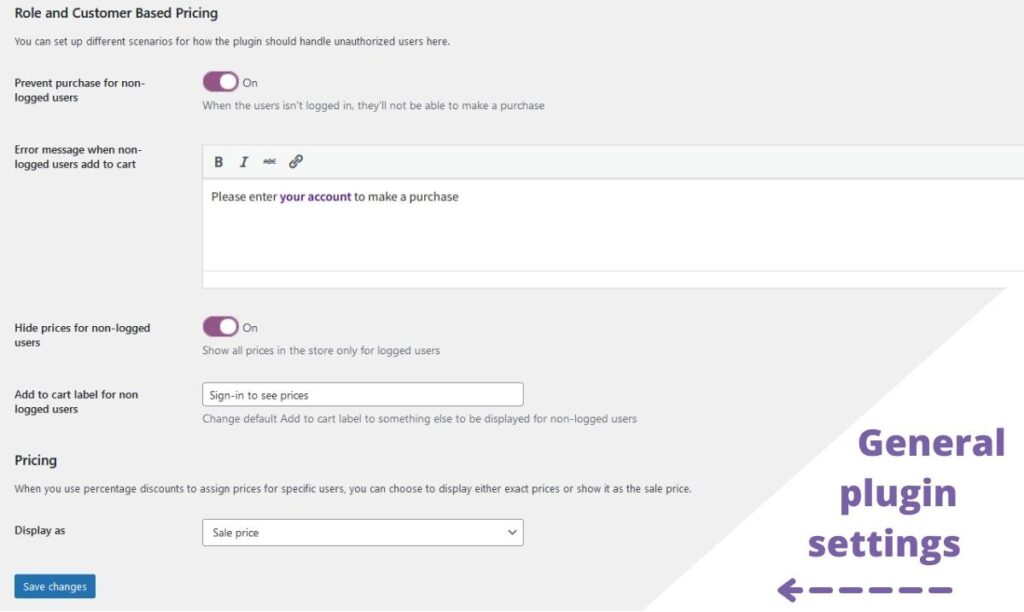
This is one of the most advanced plugins for role-based pricing. It may fall behind on exclusive wholesale features like tiered pricing or a separate registration form for wholesalers, but it beats every other plugin in the sheer number of functions for role- or customer-based pricing.
You’ll find everything you need to design special pricing from scratch without additional plugins. The Meow Crew plugin lets you create new roles and assign them to your users; build general pricing rules for any set of products or categories, applied to selected user roles or individual accounts; and assign prices in two ways — a percentage discount off the regular cost, or fixed regular and sale prices. In addition to pricing rules, you can also create quantity rules: set the minimum and maximum quantity users must purchase and the required quantity step. Beyond general pricing rules, the same conditions can be created for each product separately, where you can choose user roles or user accounts and assign pricing and quantity rules just for them. It also lets you prevent non-logged-in users from purchasing and hide prices from them.
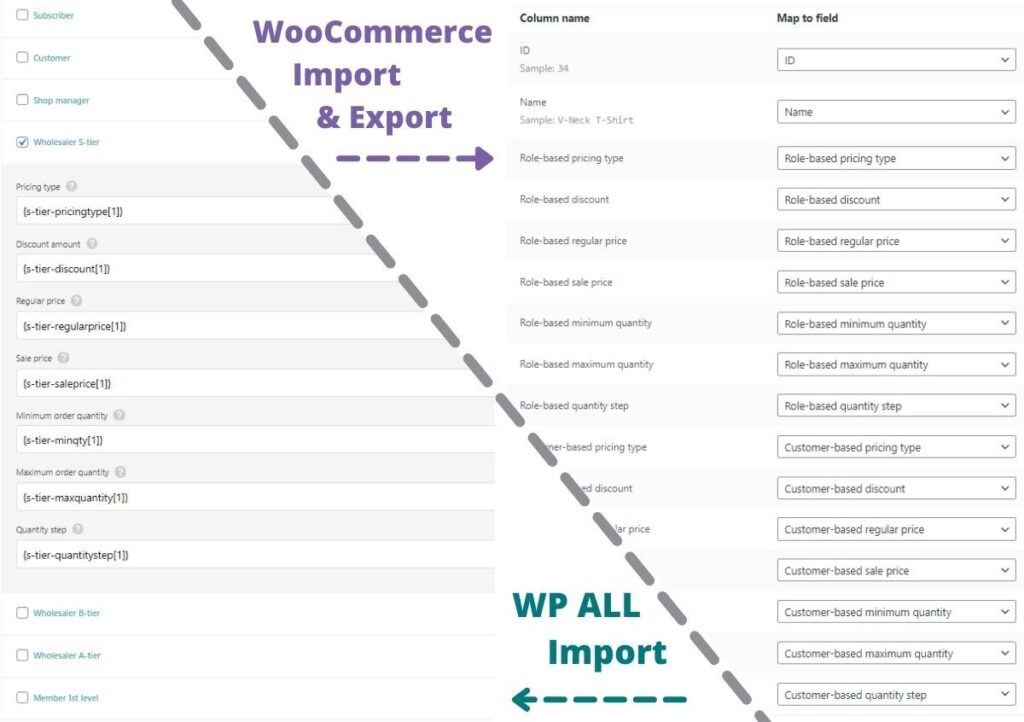
And last but not least — you can manage role-based or customer-based prices using the default WooCommerce Import/Export tool, and the plugin is also integrated with WP All Import. Some other plugins offer similar options, but without full integration: they simply teach you how to import the pricing field via meta-data, which is not the most convenient approach and has plenty of drawbacks.
One more great thing about this plugin: you can use the free version from wordpress.org, which could be enough for most cases.
| Features | Role-Based Pricing by Meow Crew | Notes |
|---|---|---|
| Type of pricing rules | General + Per Product | General rules for categories, products, user roles, and customer accounts |
| Type of pricing | Fixed + % Discount | Fixed prices (regular + sale price) for each rule + % off the regular product price |
| Customer-based rules | ✔️ | Rules for separate accounts, not just whole roles |
| Import/Export | WooCommerce + WP All Import | Import/export via the regular WooCommerce tool + integration with WP All Import |
| Quantity rules | ✔️ | Min and max quantity for sale + required quantity step |
| Create user roles | ✔️ | Create an unlimited number of roles + inherit capabilities |
| Registration form | ❌ | |
| Product types | Simple, Variable, Subscriptions, Grouped | Works with both virtual and physical products |
| Rules for Product/Category/Tag | ✔️/✔️/❌ | Pricing rules can be created for separate products and/or categories |
| Restrictions to users | ✔️ | Hide pricing and prevent purchases for non-logged-in users |
| Labels customization | ✔️ | Customize text for non-logged-in users + show role-based pricing as the sale price |
| Free version | ✔️ | Role and Customer Based Pricing for WooCommerce on wp.org |
| Multiple license purchase | ✔️ | 49% off for 3 licenses, 72% off for 20 licenses |
Role Based Pricing for WooCommerce by Addify
Download: WooCommerce Marketplace. Pricing: $79 billed annually. Instructions: Docs
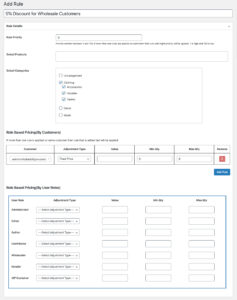
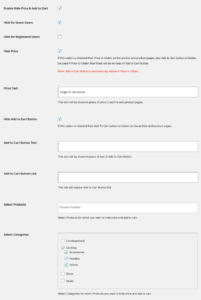
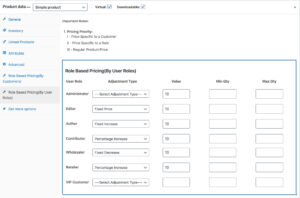
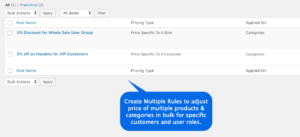
The plugin developed by the Addify team fits you perfectly if you don’t need to mass import/export prices and already have a separate plugin for role management. You can use it to design pricing rules for a whole category or a group of products, as well as set up role-based pricing directly on each product page. This role-based pricing plugin also provides the option to set minimum and maximum quantities for each rule.
There are a few minor flaws: the plugin documentation is fairly limited, and since there’s no free version or free trial on woocommerce.com, you may have to ask for a refund if the plugin doesn’t work out for you.
Still, you can count on the core features you’d expect from a role-based pricing plugin; details on the crucial areas are in the table below.
| Features | Role-Based Pricing by Addify | Notes |
|---|---|---|
| Type of pricing rules | General + Per Product | Change prices on the product level + general rules |
| Type of pricing | Fixed + % Discount | Fixed prices for each rule + % off the regular product price |
| Customer-based rules | ✔️ | Rules for separate accounts, not just whole roles |
| Import/Export | ❌ | No mention of managing prices via file import/export |
| Quantity rules | ✔️ | Min and max quantity for sale + required quantity step |
| Create user roles | ❌ | Works with default user roles |
| Registration form | ❌ | |
| Product types | Simple, Variable | |
| Rules for Product/Category/Tag | ✔️/✔️/❌ | Pricing rules can be created for separate products and/or categories |
| Restrictions to users | ✔️ | Hide price & add to cart for non-logged-in users and specific user roles |
| Labels customization | ✔️ | Replace price and add to cart with custom text |
| Free version | ❌ | |
| Multiple license purchase | ❌ |
YITH Role Based Pricing
Download: YITH website. Pricing: $89 billed annually. Instructions: Docs
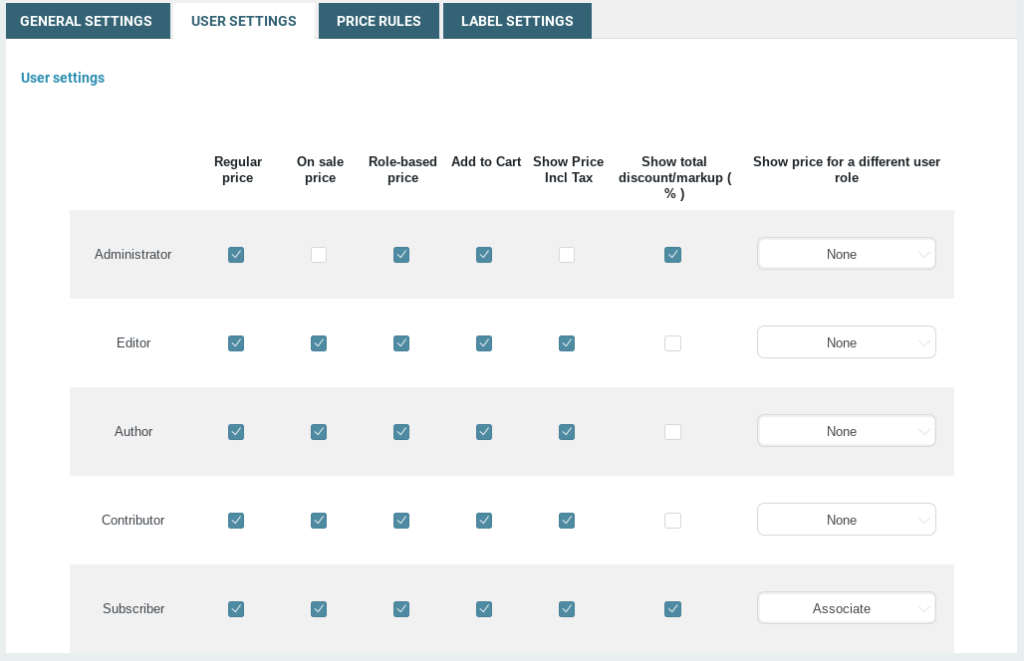
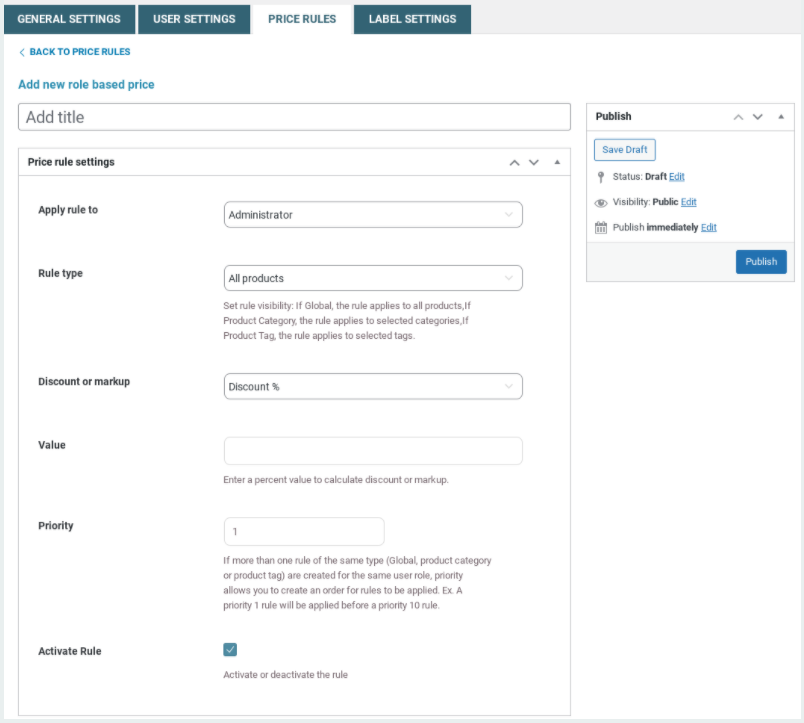
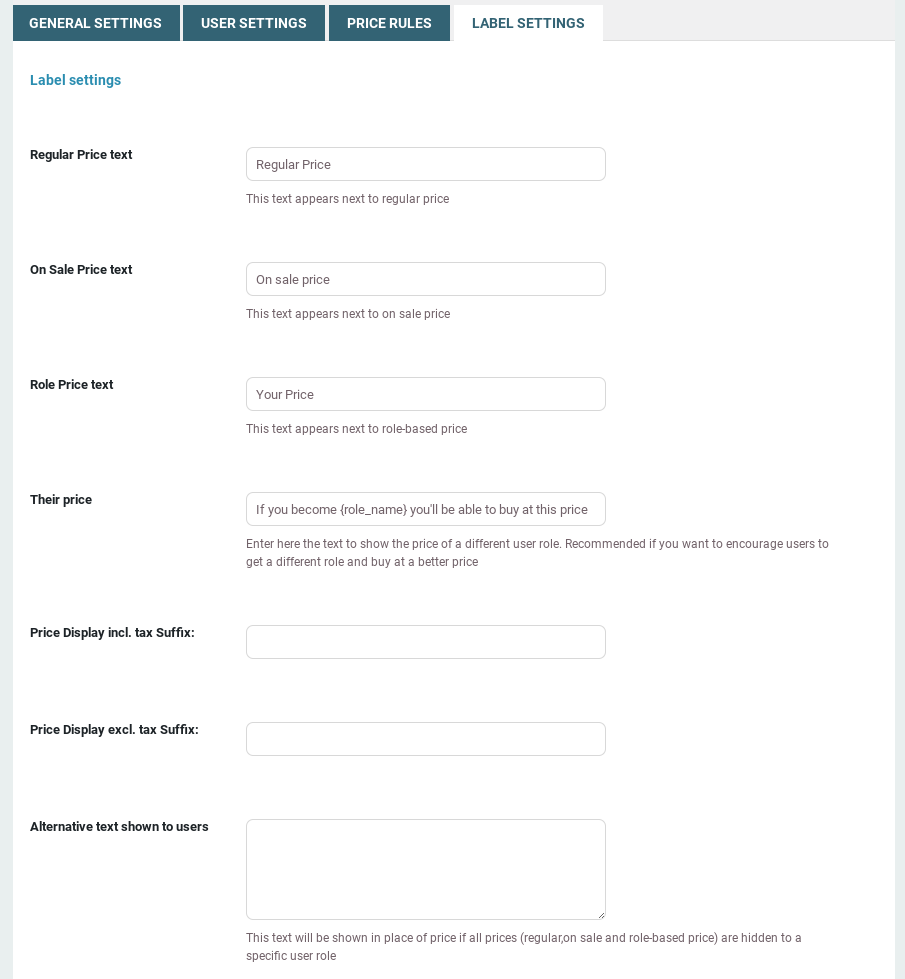
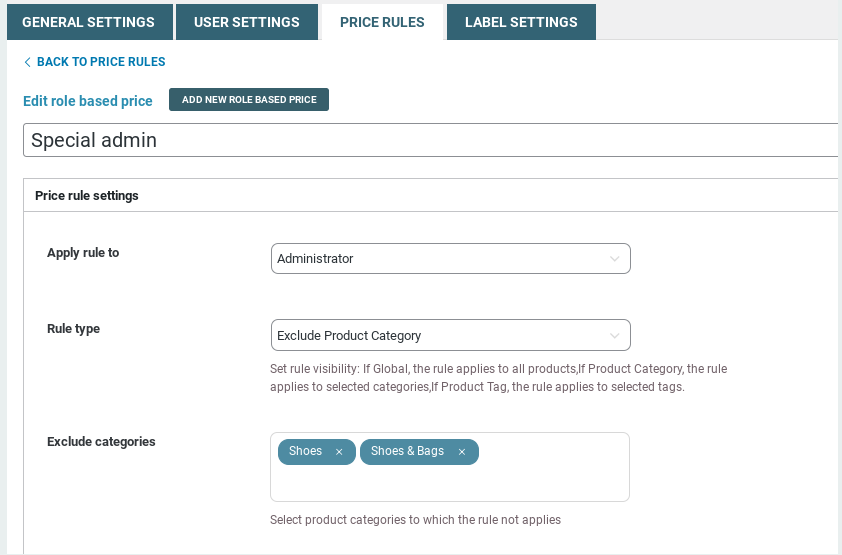
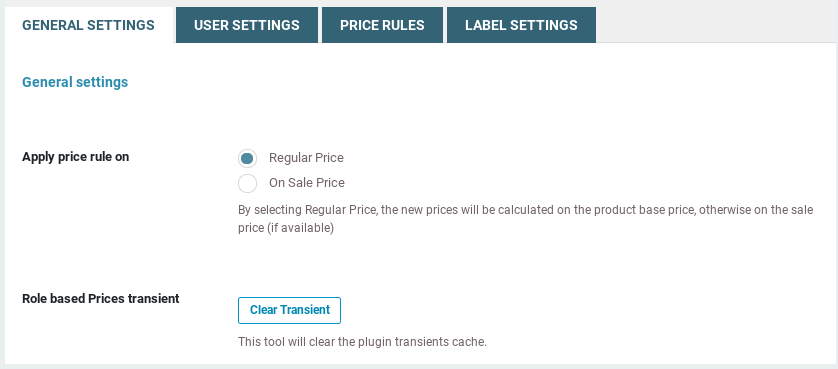
This plugin is one of the most famous in the space, probably because of the YITH label — a team that has designed many plugins for WooCommerce and has great expertise in this area. However, the features it provides are limited compared to the previous two plugins.
The YITH plugin, like Addify’s, doesn’t let you create new custom user roles. To create roles for role-based pricing, you’ll need to install an additional plugin.
YITH Role Based Pricing is all about “role-based” and “pricing” — you can create pricing rules for roles, but not for individual customers, and you can create pricing rules, but not quantity rules.
The verdict: this plugin fits you well if you don’t need the import/export feature, have an additional plugin to manage roles, and all you want is simple role-based pricing. It’s also a bit pricey compared to other plugins on the list, some of which may give you more for less money.
| Features | YITH Role Based Pricing | Notes |
|---|---|---|
| Type of pricing rules | General | Change prices by creating general rules |
| Type of pricing | Fixed + % Discount | Increase or decrease product price by a percentage value or fixed amount |
| Customer-based rules | ❌ | |
| Import/Export | ❌ | Only as product meta via WP All Import (not integrated) |
| Quantity rules | ✔️ | Min and max quantity for sale |
| Create user roles | ❌ | Doesn’t allow creating new roles |
| Registration form | ❌ | |
| Product types | Simple, Variable, Grouped | |
| Rules for Product/Category/Tag | ✔️/✔️/✔️ | Apply a rule to a single product or to specific categories or tags |
| Restrictions to users | ✔️ | Show the price of a different user role |
| Labels customization | ✔️ | Assign customized labels to prices |
| Free version | ❌ | |
| Multiple license purchase | ❌ |
ELEX WooCommerce Role Based Pricing
Download: ELEX website. Pricing: $79 billed annually. Instructions: Docs
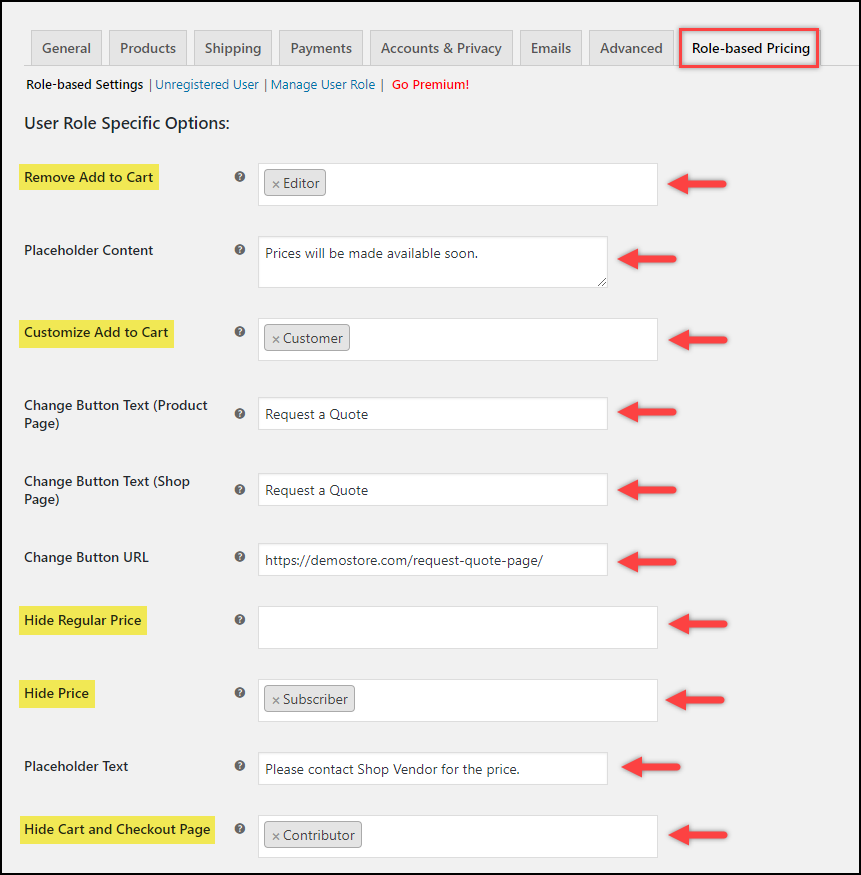
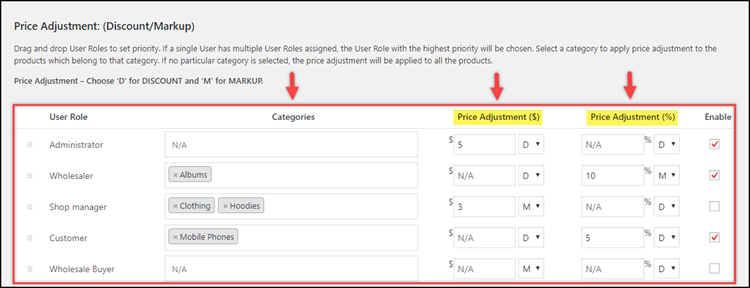
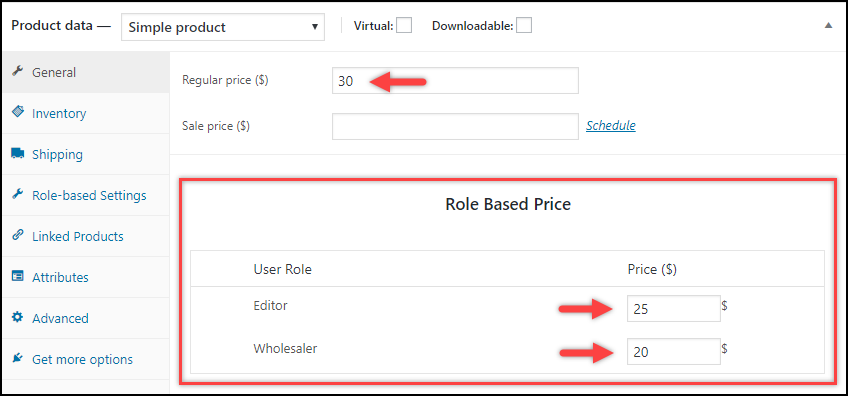
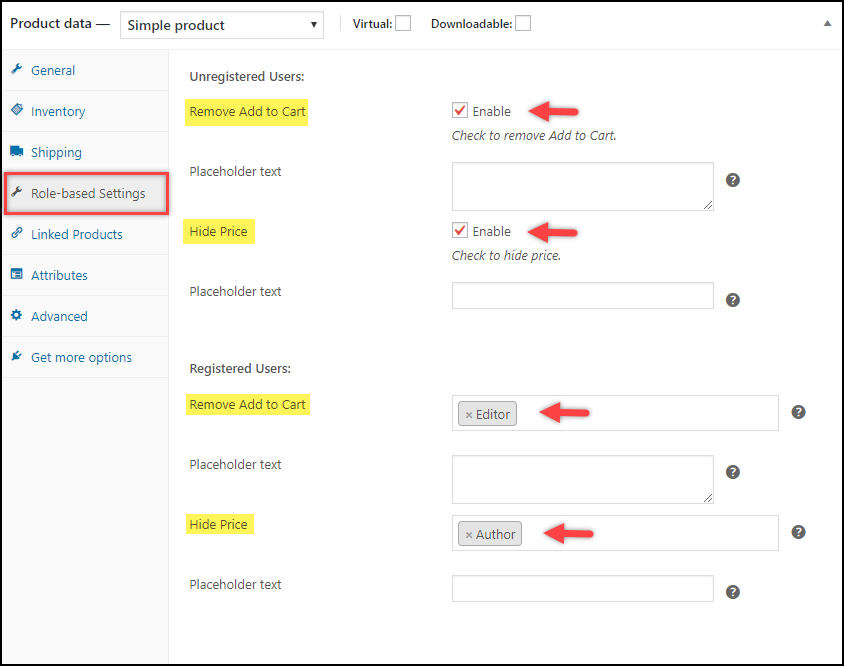
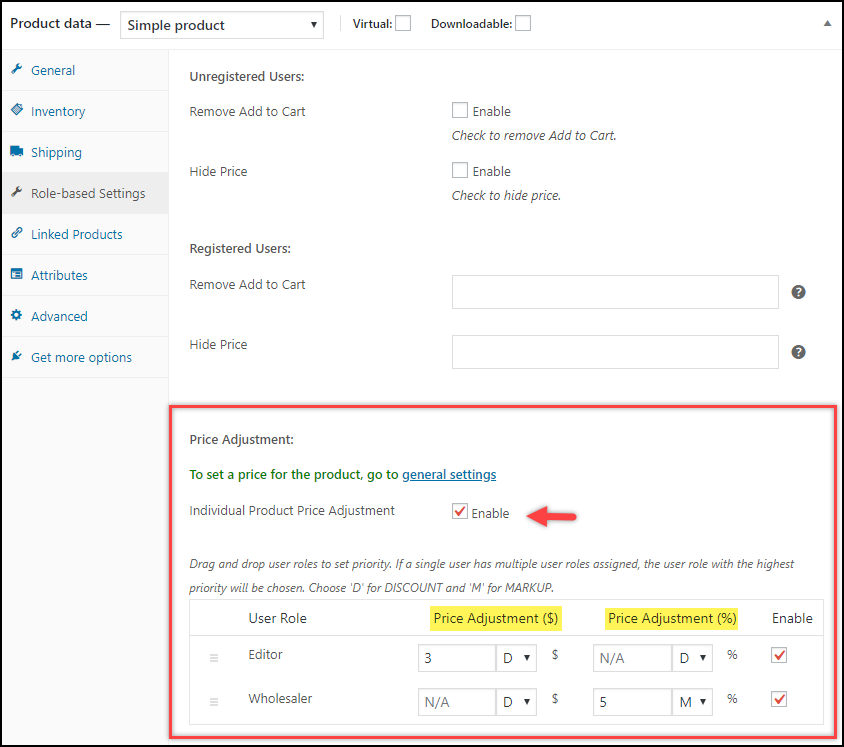
The role-based pricing plugin designed by ELEX has the largest number of installs on wp.org, but since the free version lacks some basic features like pricing for variable products or managing prices on the product page, we’ll consider the premium version — ELEX WooCommerce Catalog Mode, Wholesale & Role Based Pricing — available on their website.
It’s an excellent plugin with a built-in feature for creating custom user roles, and it provides many settings to control pricing behavior for guest users.
This plugin is also integrated with the default WooCommerce import tool, so you can mass-import role-based prices for each product. However, the import works through custom fields only, with a designated CSV format — you won’t find the drag-and-drop field mapping you get with the WP All Import plugin.
Plus, there’s no way to specify quantity rules, which are necessary for some wholesale operations. Overall, though, this is one of the plugins we can recommend, especially since you have the option to try the free version.
| Features | ELEX WooCommerce Role Based Pricing | Notes |
|---|---|---|
| Type of pricing rules | General + Per Product | Change prices on the product level + general rules |
| Type of pricing | Fixed + % Discount | Fixed prices for each rule + % off the regular product price |
| Customer-based rules | ✔️ | Set individual product prices based on user roles and individual users |
| Import/Export | ✔️/❌ | Import some fields via the default WooCommerce importer (as custom fields) |
| Quantity rules | ❌ | |
| Create user roles | ✔️ | The plugin provides intuitive steps to create custom user roles |
| Registration form | ❌ | |
| Product types | Simple, Variable, Grouped | |
| Rules for Product/Category/Tag | ✔️/✔️/❌ | Pricing rules can be created for separate products and/or categories |
| Restrictions to users | ✔️ | Catalog mode – remove Add to Cart, hide Cart and Checkout, hide prices |
| Labels customization | ✔️ | Customize the Add to Cart button |
| Free version | ✔️ | ELEX WooCommerce Role Based Pricing |
| Multiple license purchase | ✔️ | 70% off for 5 licenses, 89% off for 25 licenses |
Product Prices by User Roles for WooCommerce by Tyche
Download: WooCommerce website. Pricing: $49 billed annually. Instructions: Docs
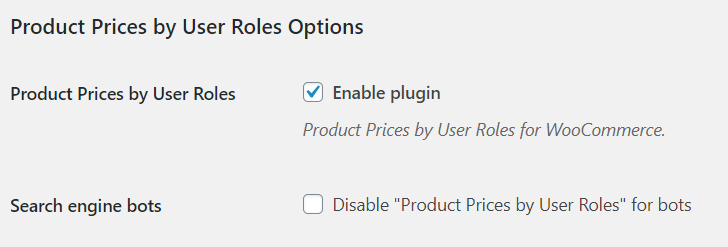
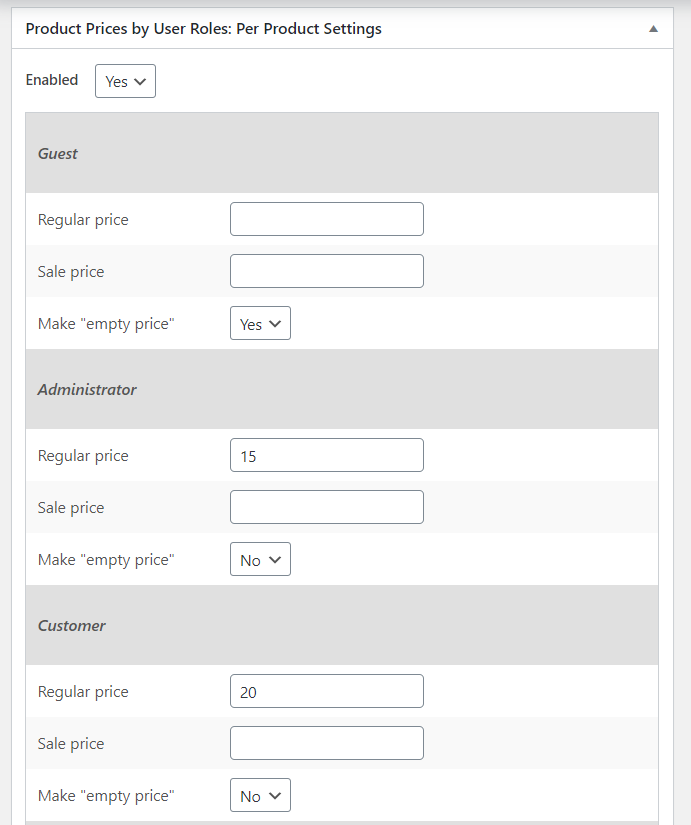
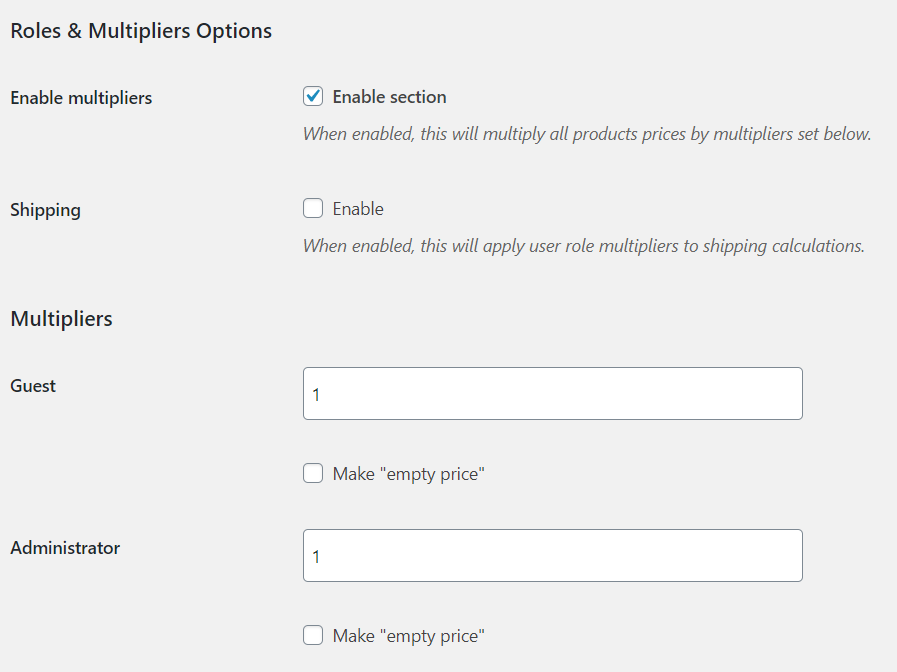
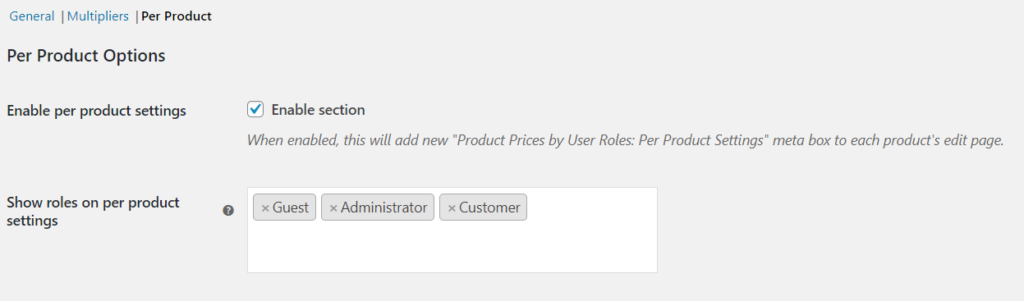
The product made by the Tyche team is the most basic option for managing role-based pricing. They didn’t follow the path of other plugins for price creation; instead they take a completely different approach — price multipliers. While role-based pricing plugins usually let you assign discounts or fixed prices for certain roles, Tyche uses price multipliers for each role. To give a group of users a discount, you apply a 0.9 multiplier to their role; to increase the cost, you use a 1.2 multiplier, and so on. You can also apply these multipliers to shipping costs.
The plugin also has a feature to hide product prices from selected user roles.
Although it offers the option to assign prices at the product level, it’s a fairly basic plugin. But if you find all the features you need in the table below, you can rest assured the plugin works — and in case of any issues, WooCommerce guarantees your money back.
| Features | Product Prices by Tyche | Notes |
|---|---|---|
| Type of pricing rules | General + Per Product | Change prices on the product level + general rules by multiplying the regular price |
| Type of pricing | Multiply regular prices | Set price multipliers with positive and negative values |
| Customer-based rules | ❌ | |
| Import/Export | ❌ | |
| Quantity rules | ❌ | |
| Create user roles | ✔️ | The plugin provides intuitive steps to create custom user roles |
| Registration form | ❌ | |
| Product types | Simple, Variable | |
| Rules for Product/Category/Tag | ✔️/✔️/❌ | Pricing rules can be created for separate products and/or categories |
| Restrictions to users | ✔️ | Hide product prices based on the user role |
| Labels customization | ❌ | |
| Free version | ❌ | |
| Multiple license purchase | ❌ |
Prices By User Role for WooCommerce by Festi-Team
Download: CodeCanyon Market. Pricing: $45 billed annually.
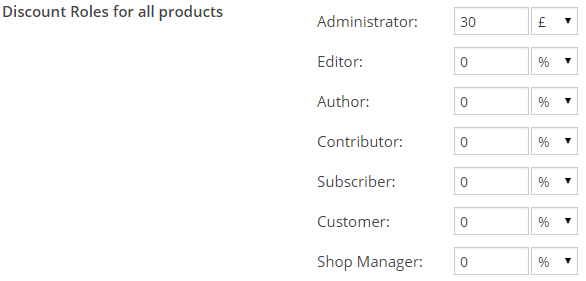
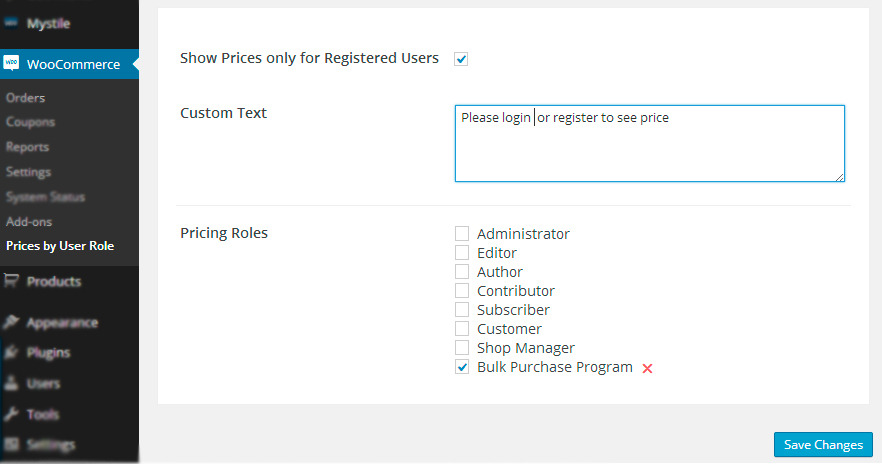
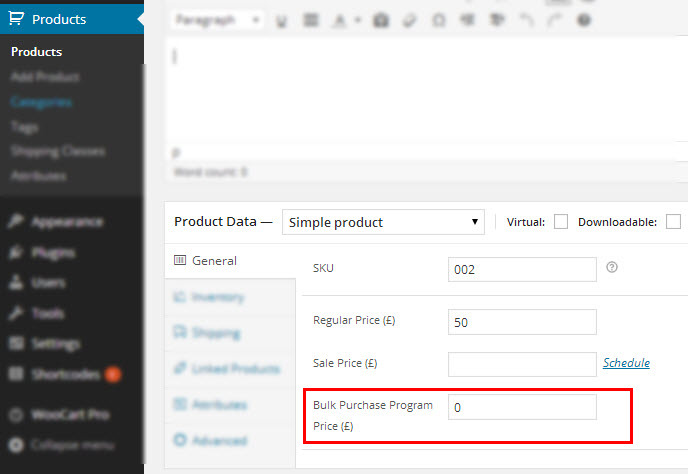
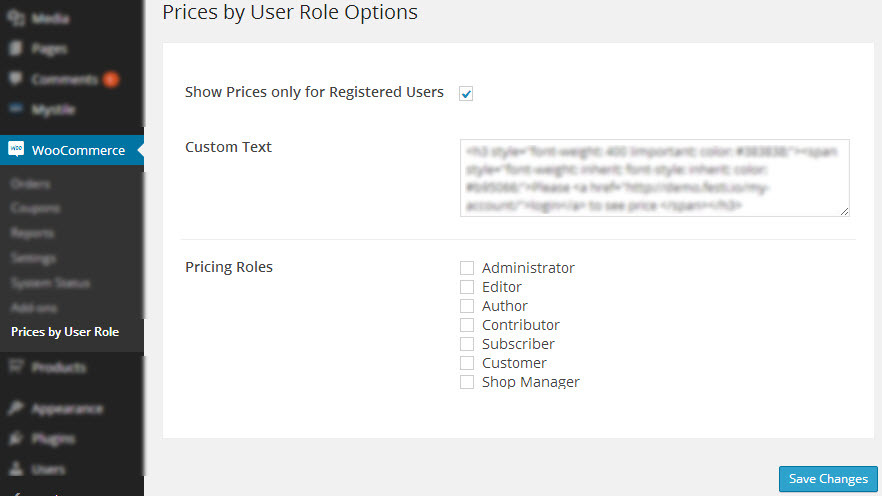
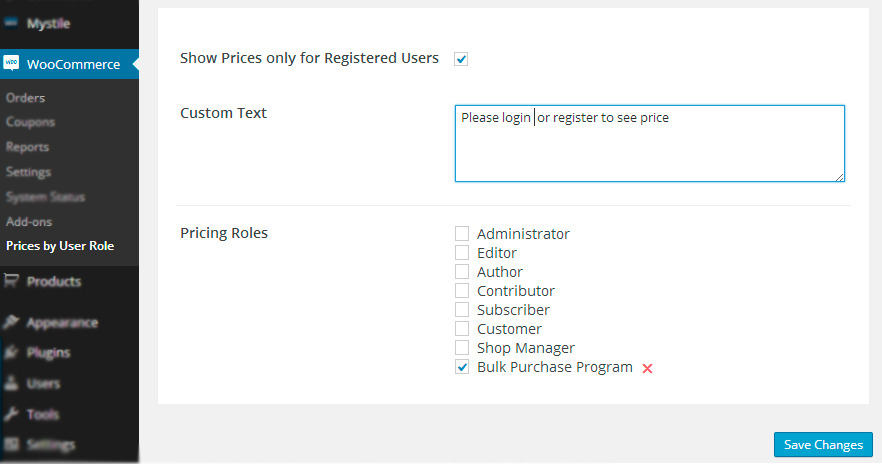
The most popular role-based pricing plugin hosted on the CodeCanyon market. It works with various product types — from simple and variable products to subscriptions and bundles.
You’ll find one unique feature here: WooCommerce REST API support, which means you can send role-based prices to your store over the API. In addition to creating prices over the API, you can also use the default WooCommerce import tool for the same purpose.
A few things are missing, though: the plugin doesn’t allow customer-based prices and has only one way of assigning costs (there’s no way to give percentage discounts off your regular prices). It’s also entirely about creating prices for each product separately — there’s no way to make general pricing rules for a whole category — and the plugin doesn’t control minimum or maximum quantities or quantity steps.
Nonetheless, it’s an excellent option at a reasonable price if you’re looking to set up role-based pricing at the product level — perhaps even through the API.
| Features | Prices By User Role by Festi-Team | Notes |
|---|---|---|
| Type of pricing rules | Per Product | Change prices on the product level only |
| Type of pricing | Fixed pricing | Only one regular price, without sale pricing |
| Customer-based rules | ❌ | |
| Import/Export | ✔️ | WooCommerce CSV import for the product list |
| Quantity rules | ❌ | |
| Create user roles | ✔️ | Custom user groups |
| Registration form | ❌ | |
| Product types | Simple, Variable | |
| Rules for Product/Category/Tag | ✔️/❌/❌ | Pricing rules can be created for separate products only |
| Restrictions to users | ✔️ | Hide the Add to Cart button from a specific user role group |
| Labels customization | ✔️ | Text instead of the price for non-registered users |
| Free version | ❌ | |
| Multiple license purchase | ❌ |
Wholesale For WooCommerce by WPExperts
Download: WooCommerce Marketplace. Pricing: $99 billed annually. Instructions: Docs
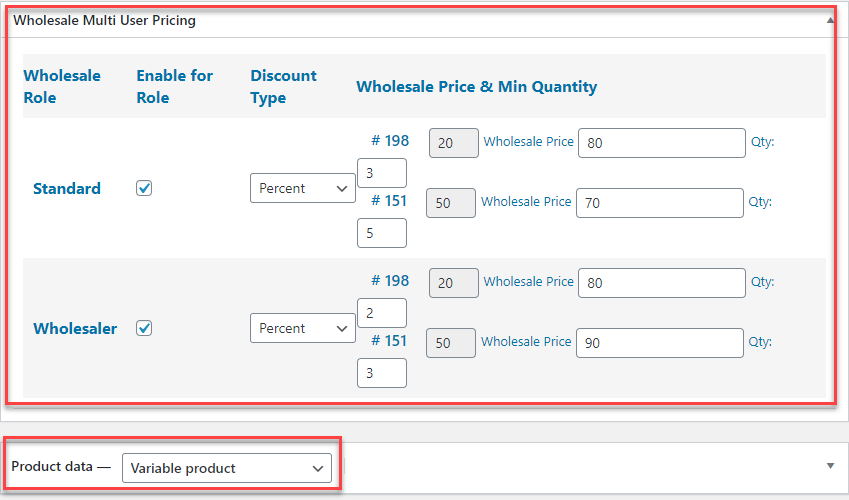
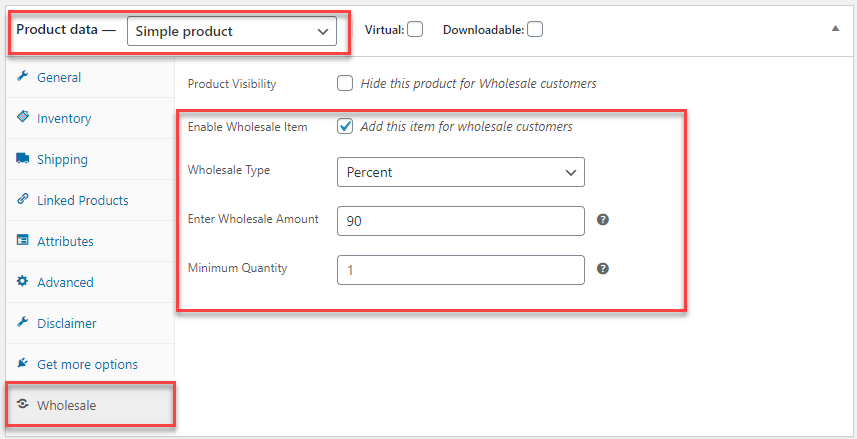
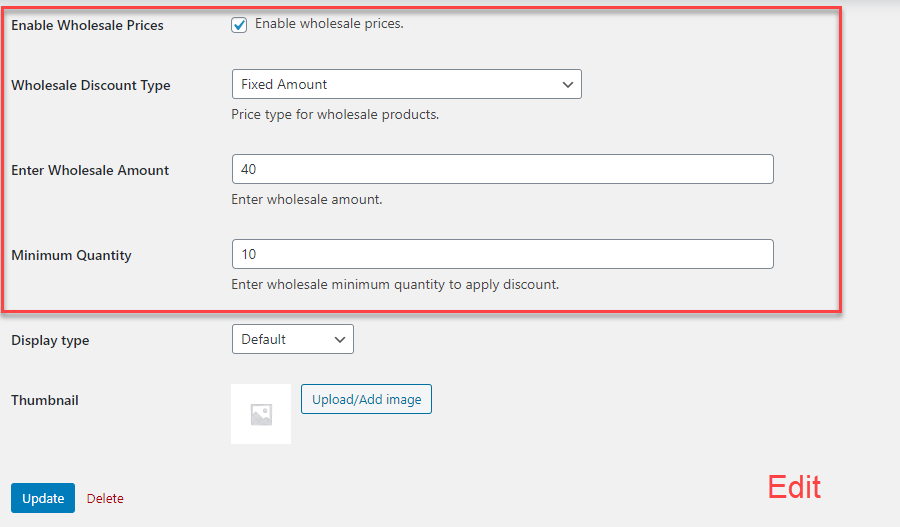
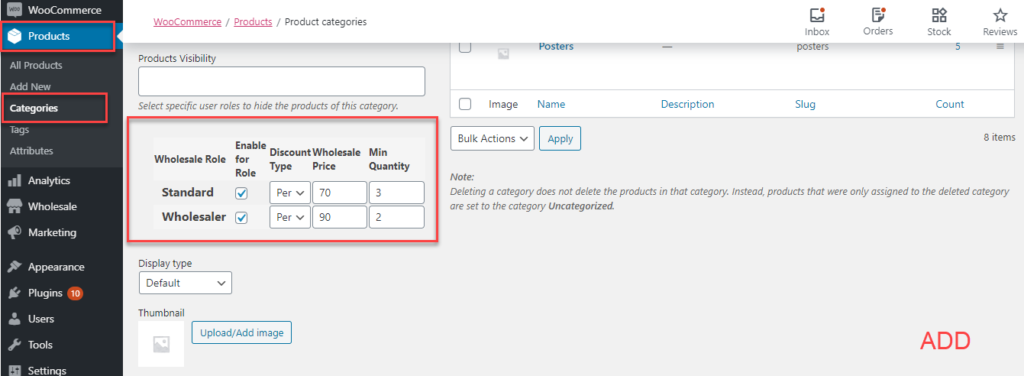
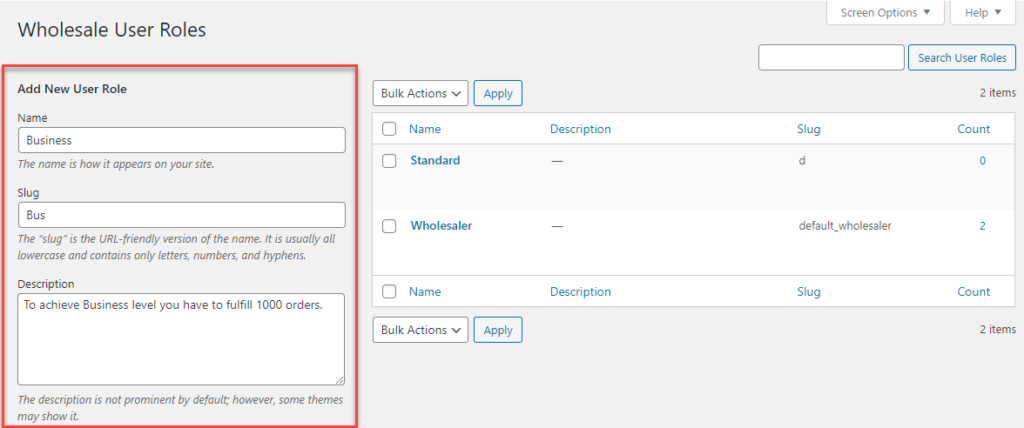
This one isn’t strictly a role-based pricing plugin — it’s a whole package for wholesale-oriented stores. But since the largest chunk of its functionality is about managing prices for user roles, we decided to add it to the list.
The Wholesale for WooCommerce plugin by WPExperts provides a bundle of settings for running a successful wholesale store. It starts with separate registration for wholesalers — optional, because you can also create and assign custom user roles to users registered through the default WooCommerce sign-up form — and ends with global pricing rules and product-level pricing rules that can be imported via the WooCommerce Import/Export tool.
It’s fair to say this plugin offers almost everything the other plugins on the list provide, except pricing based on individual customer accounts (rather than whole roles), discounted prices for wholesalers (you can only assign fixed costs), and quantity rules (only a minimum required amount can be set).
| Features | Wholesale by WPExperts | Notes |
|---|---|---|
| Type of pricing rules | Per Product / Global | Fixed role-based pricing on the product level + category global rules |
| Type of pricing | Fixed | Only one regular price, without sale pricing |
| Customer-based rules | ❌ | |
| Import/Export | ✔️ | Import/export wholesale products and their prices using WooCommerce Import/Export |
| Quantity rules | ❌/✔️ | Only add-to-cart minimum quantity restrictions |
| Create user roles | ✔️ | |
| Registration form | ✔️ | Wholesaler registration form |
| Product types | Simple, Variable | |
| Rules for Product/Category/Tag | ✔️/✔️/❌ | Global, category-based, and product-based discounts |
| Restrictions to users | ✔️ | Enable password protection for your wholesale-only store |
| Labels customization | ✔️ | Hide wholesale prices and products from certain users or user roles |
| Free version | ❌ | |
| Multiple license purchase | ❌ |
Roles & Rules B2B for WooCommerce by Consortia AS
Download: WooCommerce Marketplace. Pricing: $79 billed annually. Instructions: Docs
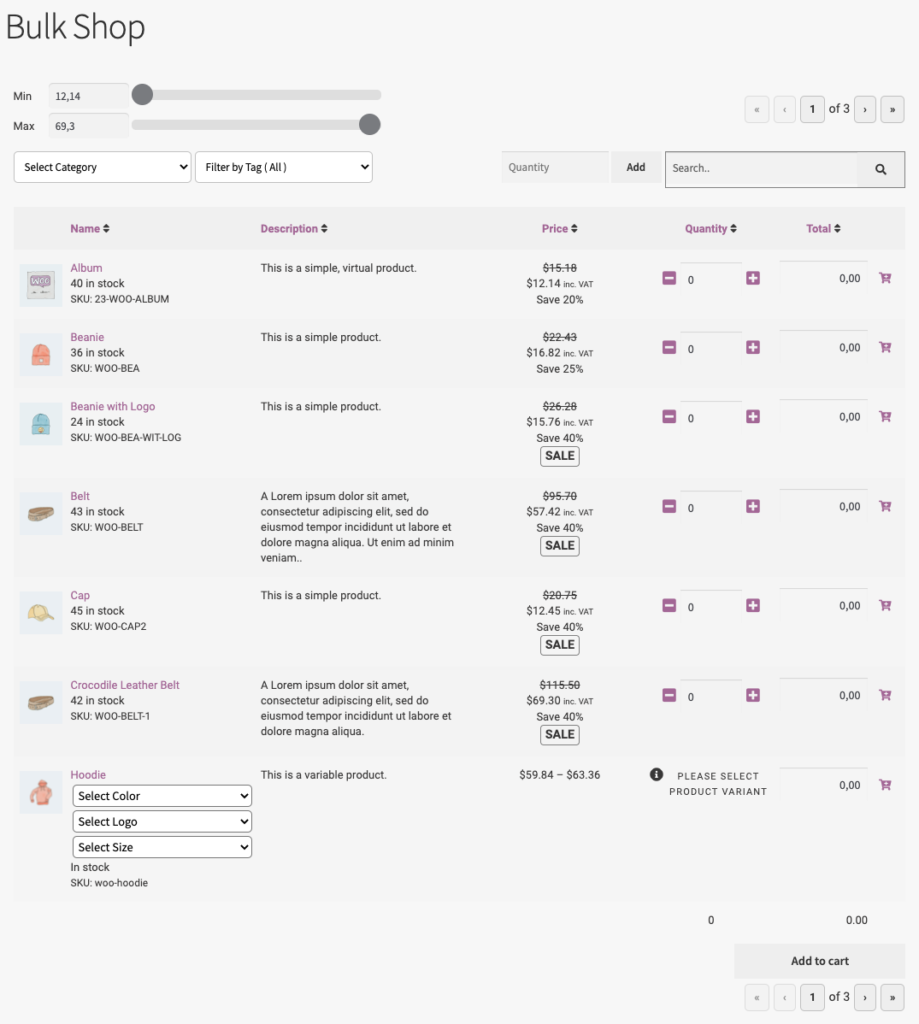
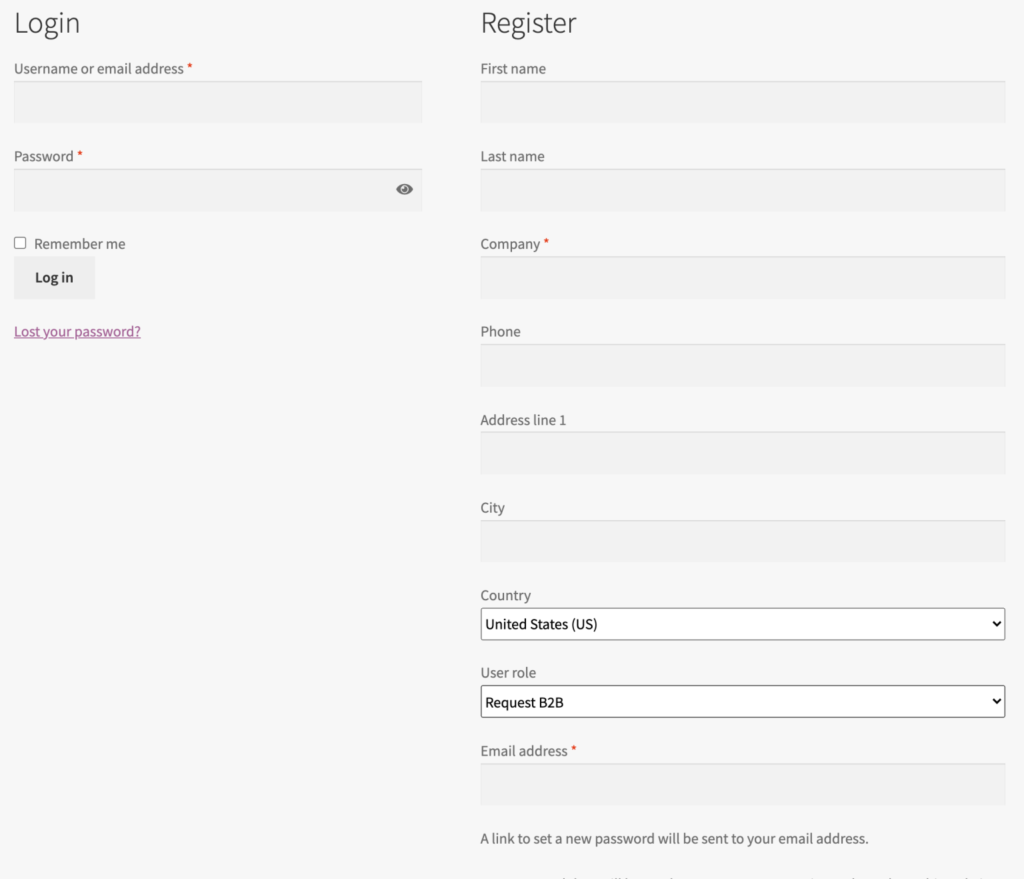
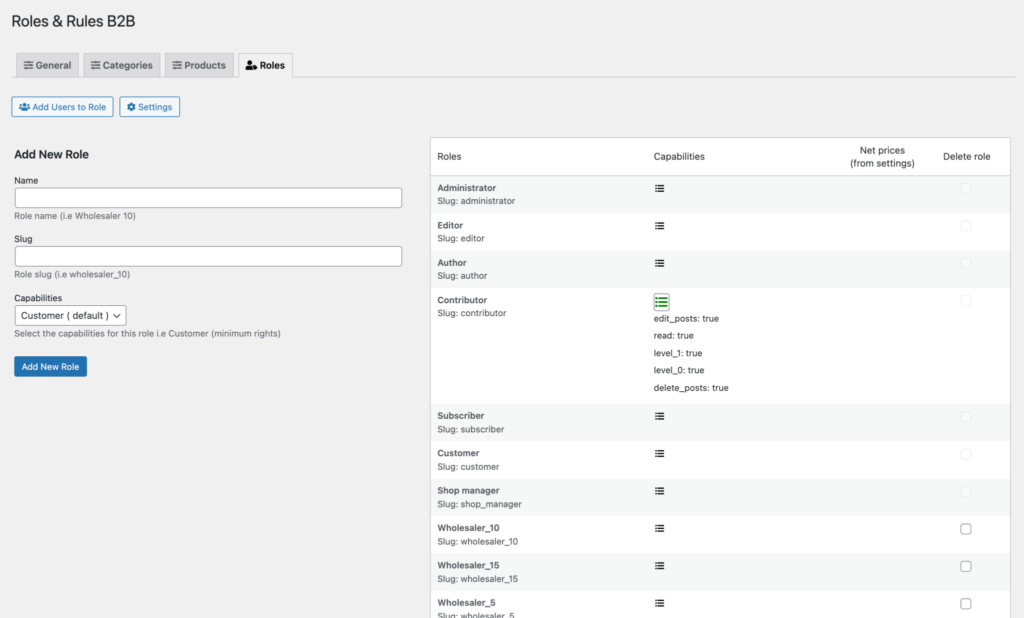
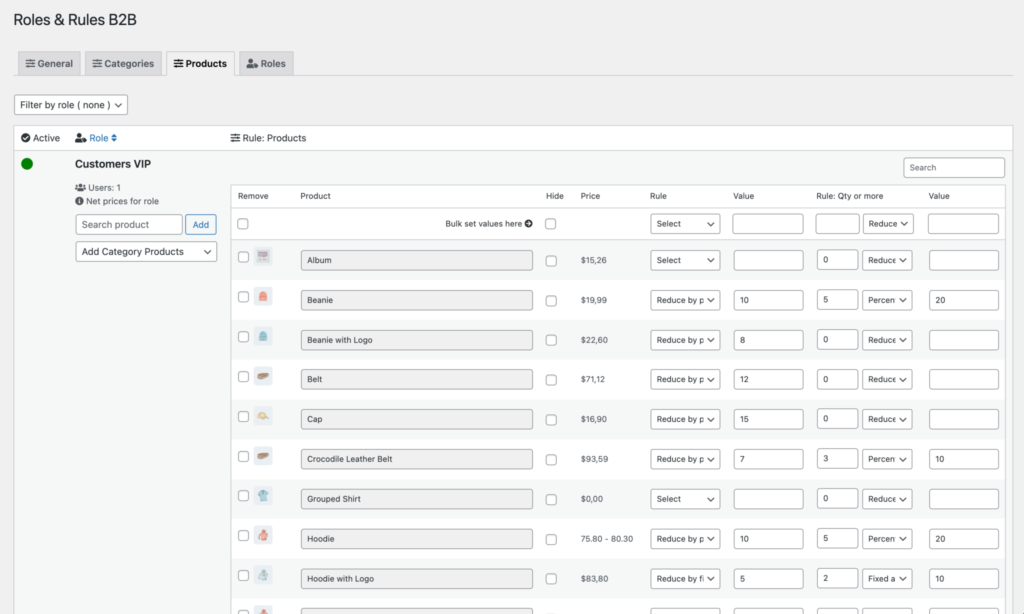
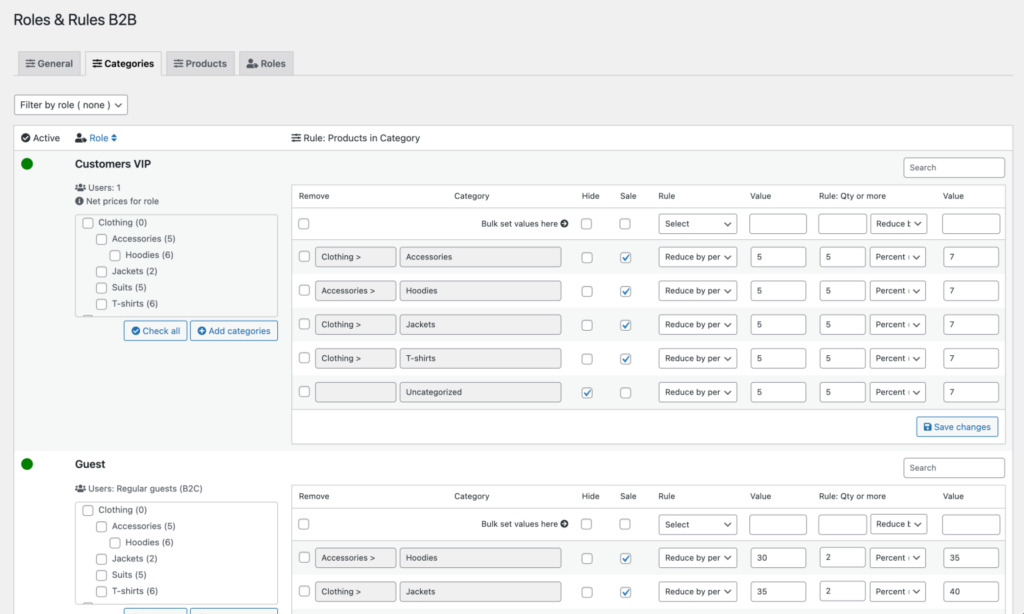
The Roles & Rules plugin is another great option for managing pricing across user roles. You can create and assign roles to your users and give them the chance to choose a role on the registration form.
You can also format pricing to show personalized prices as discounts, and set validity dates for your prices.
The plugin lacks a few core features, though — such as mass import/export of prices via CSV — because pricing rules can’t be created at the product level; they can only be built through general pricing rules. And since there’s no way to manage role-based pricing on each product page, this may impose limitations on your website’s maintenance down the road.
But if you’re looking for a plugin to create role-based pricing as sale prices for a category or the entire store, you’ll find everything you need here.
| Features | Roles & Rules by Consortia AS | Notes |
|---|---|---|
| Type of pricing rules | Bulk rules | Easily bulk-set prices for roles / members / guest users |
| Type of pricing | Fixed and Reduce by % | Sale prices also available |
| Customer-based rules | ❌ | |
| Import/Export | ❌ | |
| Quantity rules | ✔️ | Set quantity rules per category |
| Create user roles | ✔️ | Easily add the roles and capabilities you need |
| Registration form | ✔️ | Create a registration form on the “My account” page |
| Product types | Simple, Variable, Subscriptions | |
| Rules for Product/Category/Tag | ✔️/✔️/❌ | Global, category-based, and product-based discounts |
| Restrictions to users | ❌ | Only pricing rules for non-logged-in users, no restrictions |
| Labels customization | ❌ | |
| Free version | ❌ | |
| Multiple license purchase | ❌ |
WooCommerce Wholesale Pro by Barn2
Download: Barn2 website. Pricing: $99 billed annually. Instructions: Docs
The plugin designed by Barn2 is the last one we’ll discuss here, but it definitely shouldn’t be last on your shortlist.
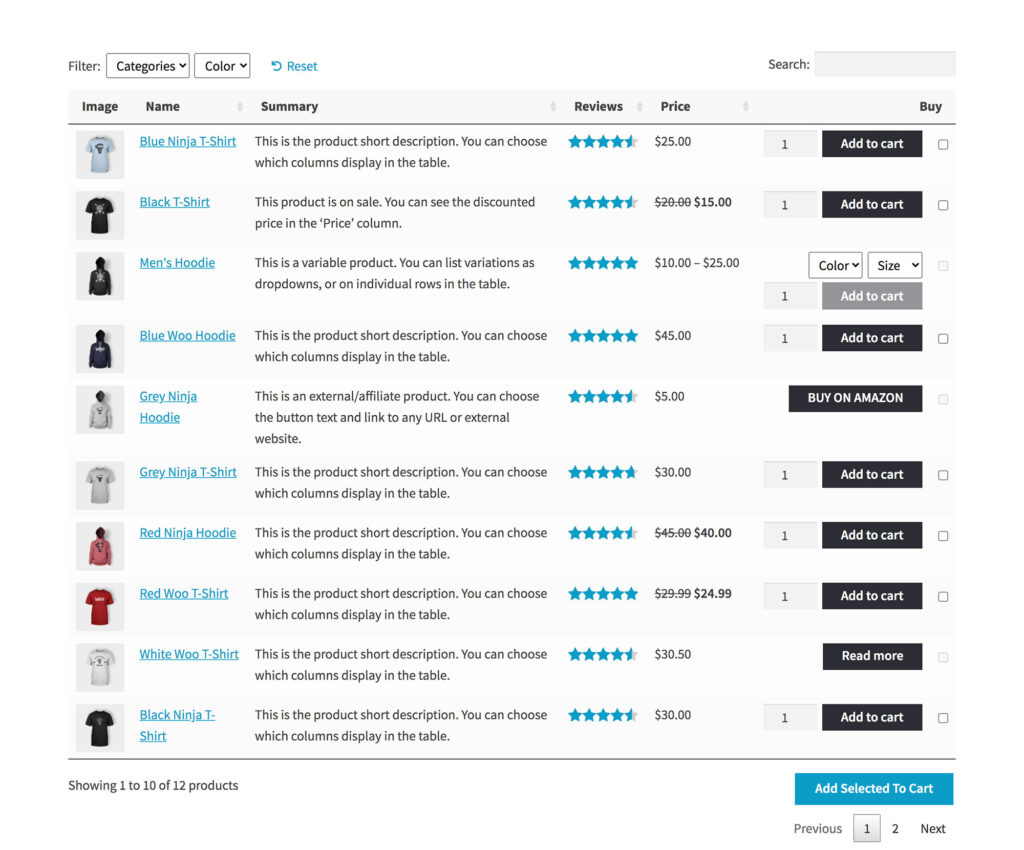
If you use this plugin alongside the Order Form Layout from Barn2, you get more wholesale-oriented options. But since we review standalone plugins, you may notice that WooCommerce Wholesale Pro by Barn2 provides fewer features than the average plugin on this list.
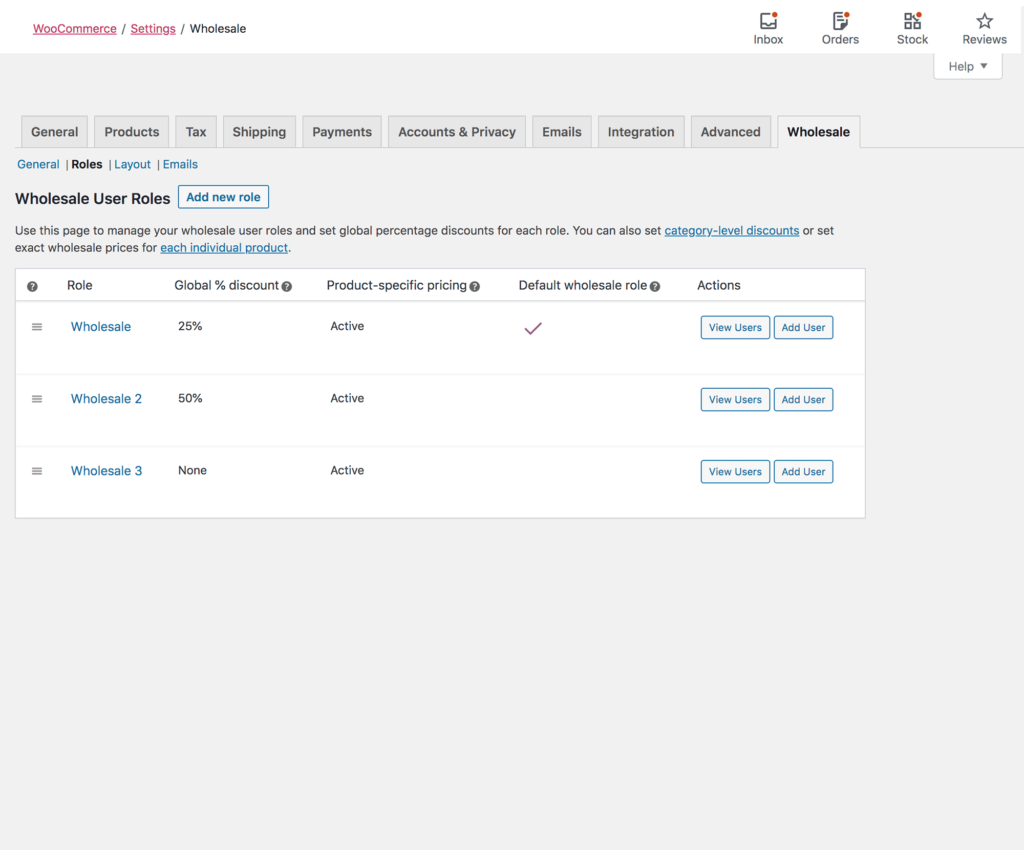
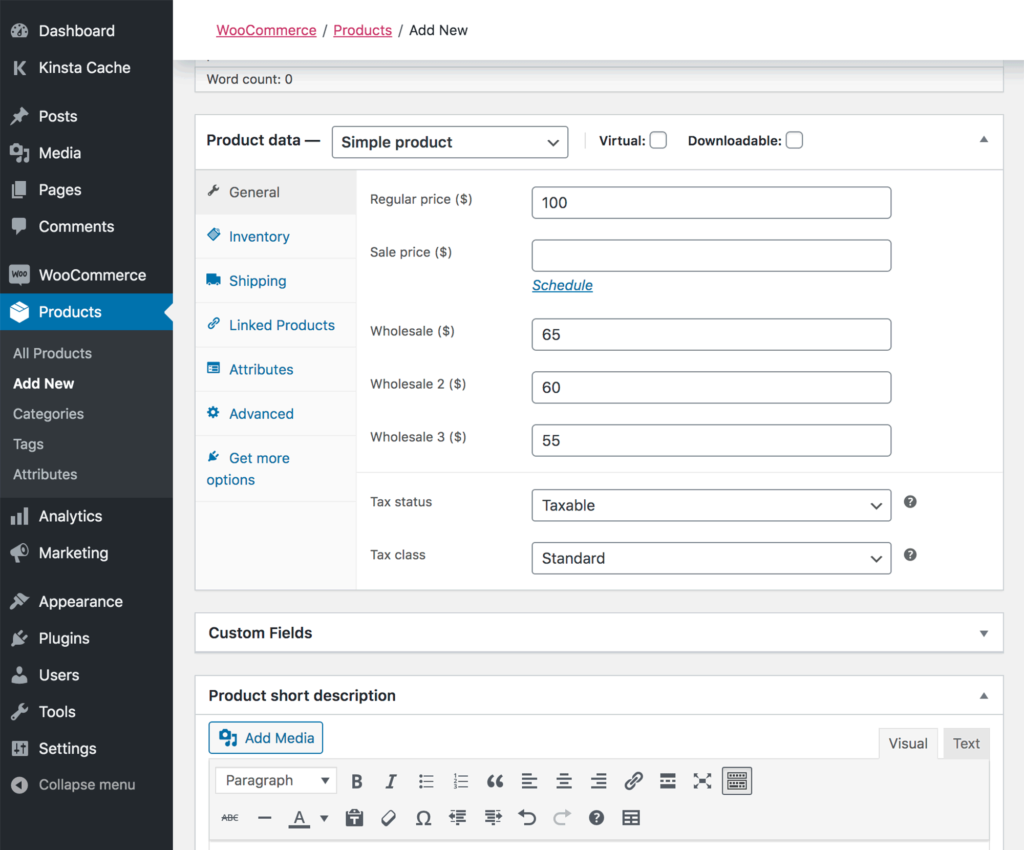
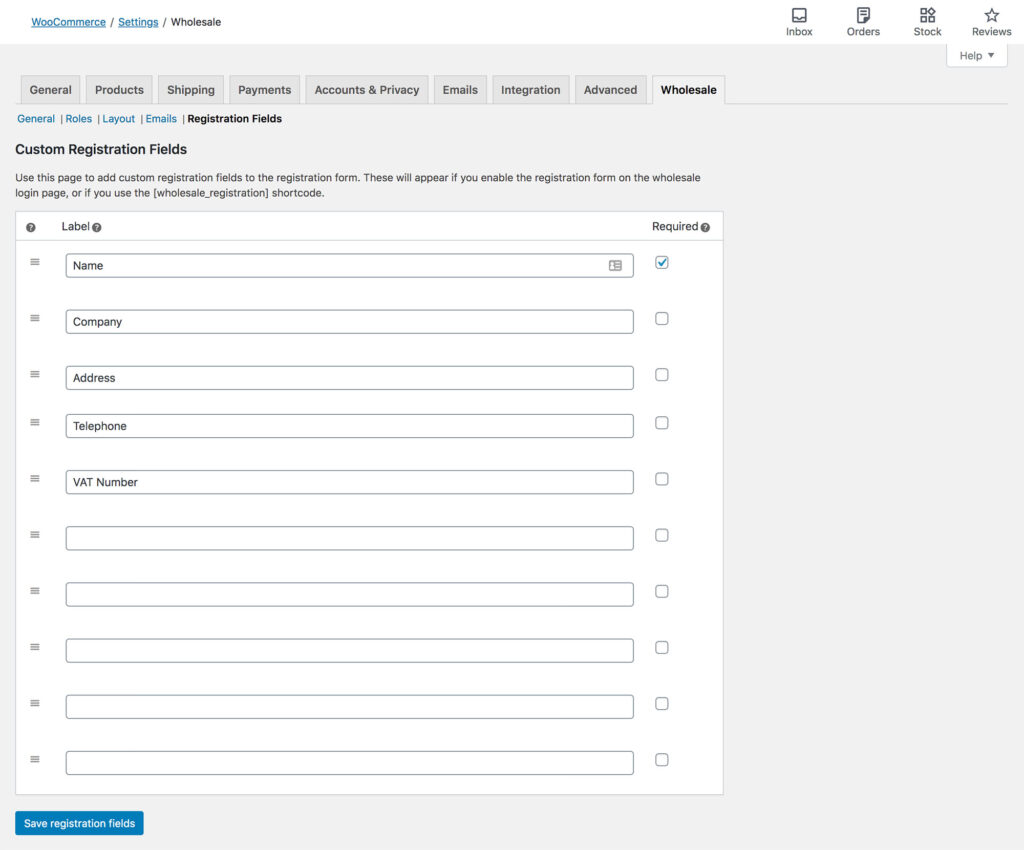
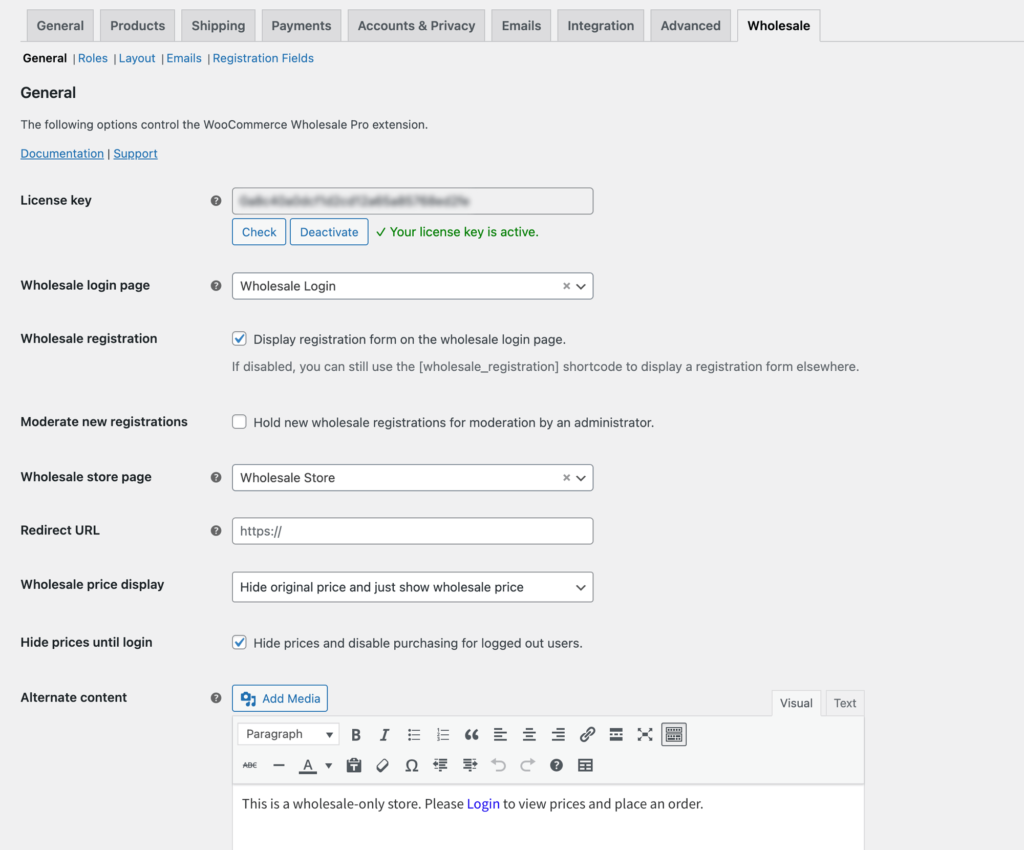
Among its advantages, we can highlight the outstanding instructions and documentation provided by the developer. And it still performs the necessary operations: you can create roles, include custom fields in the registration form, control pricing visibility across the store, and set one price per role at the product level (a fixed price without a sale price, or a discounted option).
However, the plugin may seem a bit expensive given the lack of essential components such as role-based prices for multiple products (like a whole category), customer-based pricing, import/export capabilities, and a few more you can find in the table below.
| Features | WooCommerce Wholesale Pro by Barn2 | Notes |
|---|---|---|
| Type of pricing rules | Per Product | Global, category, or product discounts available only with an additional plugin |
| Type of pricing | Fixed | Only a regular price, without a sale price |
| Customer-based rules | ❌ | |
| Import/Export | ❌ | |
| Quantity rules | ❌ | |
| Create user roles | ❌ | Adding roles available only with an additional plugin |
| Registration form | ✔️ | Customizable wholesale registration form, with emails and a moderation option |
| Product types | Simple, Variable | |
| Rules for Product/Category/Tag | ✔️/❌/❌ | |
| Restrictions to users | ✔️ | Wholesale visibility available with an additional plugin |
| Labels customization | ✔️ | Hide wholesale prices and products from certain users or user roles |
| Free version | ❌ | |
| Multiple license purchase | ✔️ | 70% off for 5 licenses, 83% off for 20 licenses |
Conclusion
We can’t tell you which role-based pricing plugin is the best option for you — all we can do is provide structured data to make your life easier.
So be sure to double-check whether a plugin fits your needs, or whether you could get more value from another option. We also added galleries of the plugins’ UI, because we believe a clean, understandable UI says more about the developers than marketing materials do. And don’t forget to look ahead: the fact that you don’t need CSV import at the moment doesn’t mean you won’t need it as your business grows. Sometimes architectural limitations in a plugin can cause significant damage to your store, or at least slow down your growth.
And be sure to check the plugins’ pages and documentation before you make your choice.