Conditional Logic for WooCommerce Product Add-Ons

Show or hide WooCommerce Product Add-Ons fields based on what customers pick or type — flexible per-field rules with no code.

Conditional Logic for WooCommerce Product Add-Ons extends the official WooCommerce Product Add-Ons plugin with show/hide rules: any add-on field can appear or disappear depending on what the customer selects or enters in other fields. Every field can carry its own set of rules, rules are unlimited, and each rule can fire when any or all of its conditions are met.

Conditions per field type

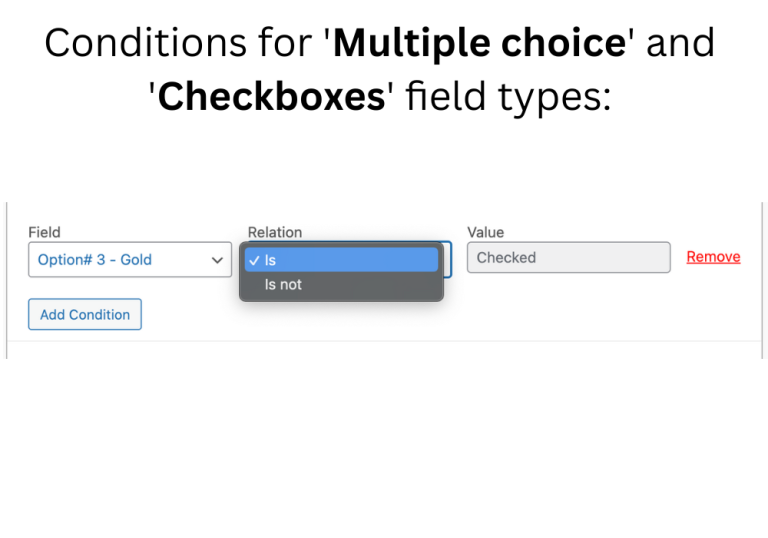
Multiple choice & checkboxes: Is checked / Is not checked.

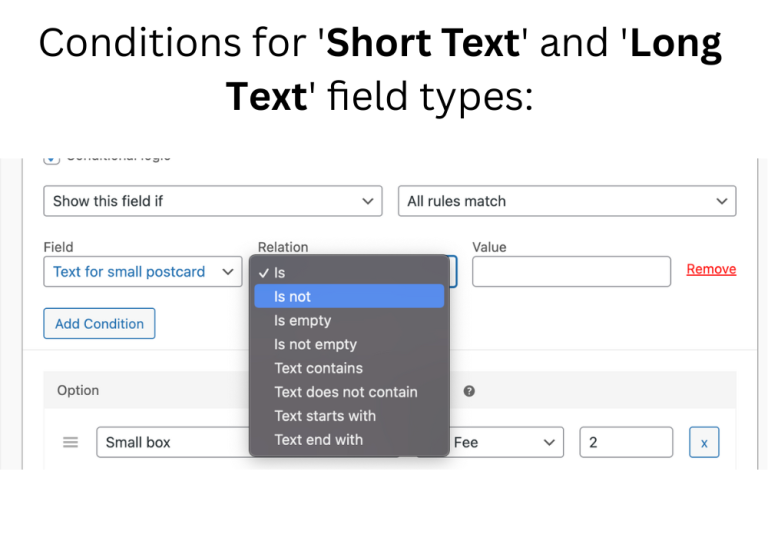
Short and long text: Is, Is not, Is empty, Is not empty, Text contains, Text does not contain, Text starts with, Text ends with.

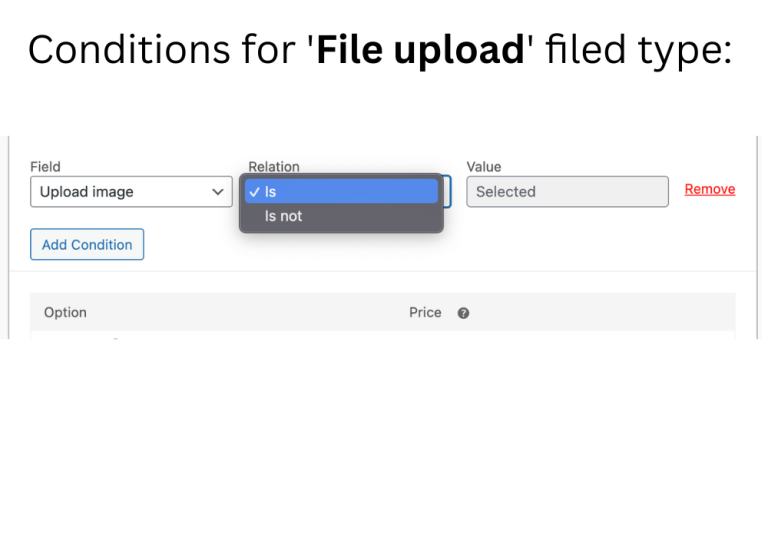
File upload: Is selected / Is not selected.

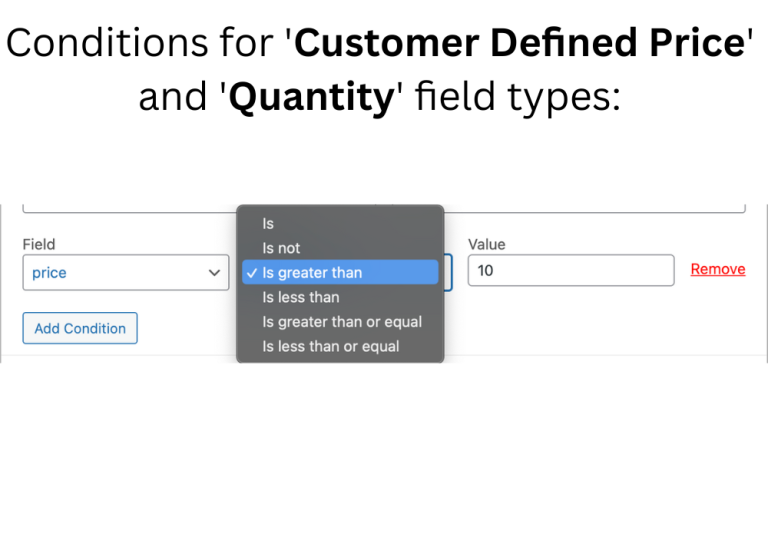
Customer-defined price & quantity: Is, Is not, Is greater than, Is less than, Is greater than or equal, Is less than or equal.

All of these work in both the global add-ons section and on the product level.

A few things stores build with it

  • Product configurators: a clothing store shows “tapered cuffs” only when the customer picks a slim-fit style; a PC builder reveals compatible cooling options only after a specific GPU is chosen.
  • Gift wrapping on request: the gift-wrap options appear only when the customer ticks the gift checkbox — no clutter for everyone else.
  • Menu builders: a burger picks up patty, cheese, and topping fields; choosing fries as a side reveals size and seasoning fields.

What it does

Conditions on add-on fields

Show or hide Product Add-Ons fields based on what the customer selects or types elsewhere.

Works with every field type

Apply logic to any Product Add-Ons field — each field gets its own rules.

Flexible operators

"Is checked", "Text contains", "Is greater than" and more, matched on Any or All conditions.

Variation-specific fields

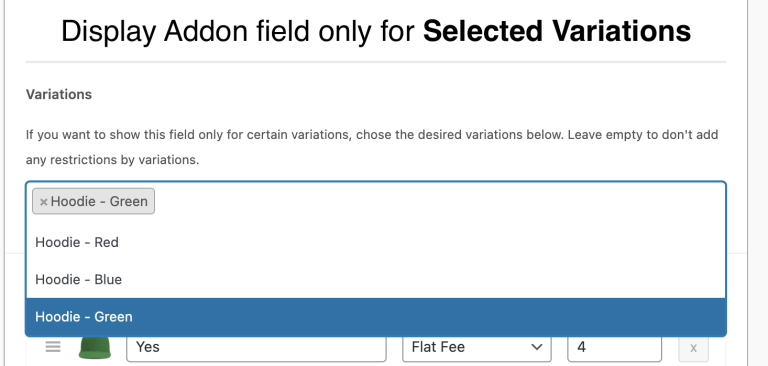
Show an add-on field only when one or a few specific variations are selected.

Global and product level

Conditions work in the general add-ons section and per product.

Built for the official Add-Ons

Requires the WooCommerce Product Add-Ons plugin installed and configured.

See it in action

Click any screenshot to enlarge.

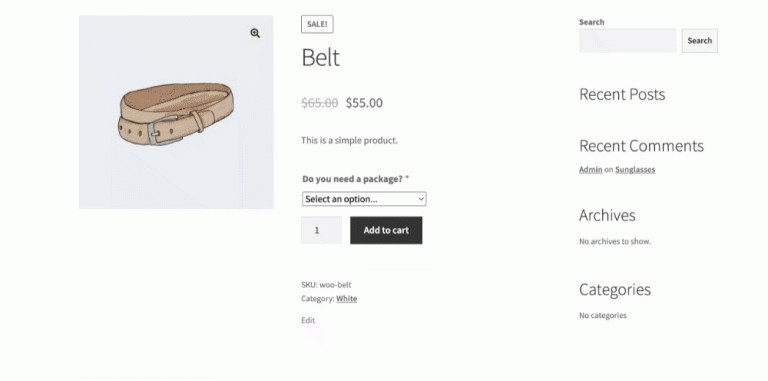
How conditional fields work on product page
Premium feature: display field based on selected variant
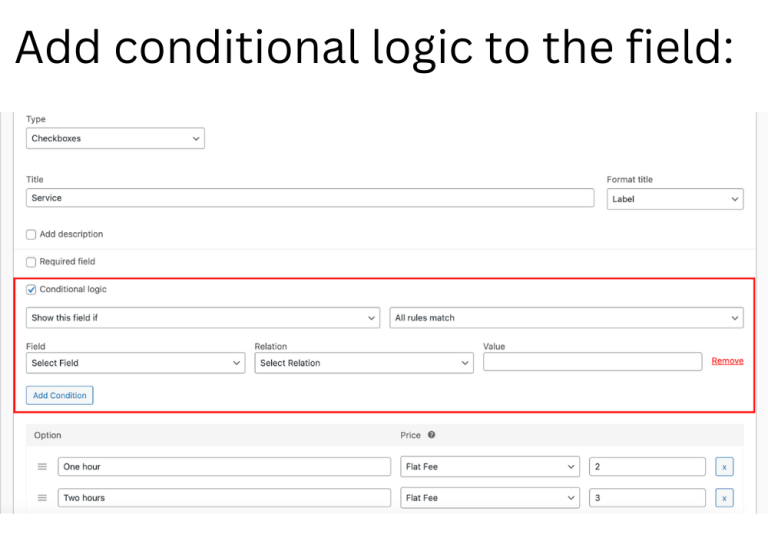
How to add Conditional logic to add-ons field
Premium feature: show Product Add-ons fields only when specific variation selected
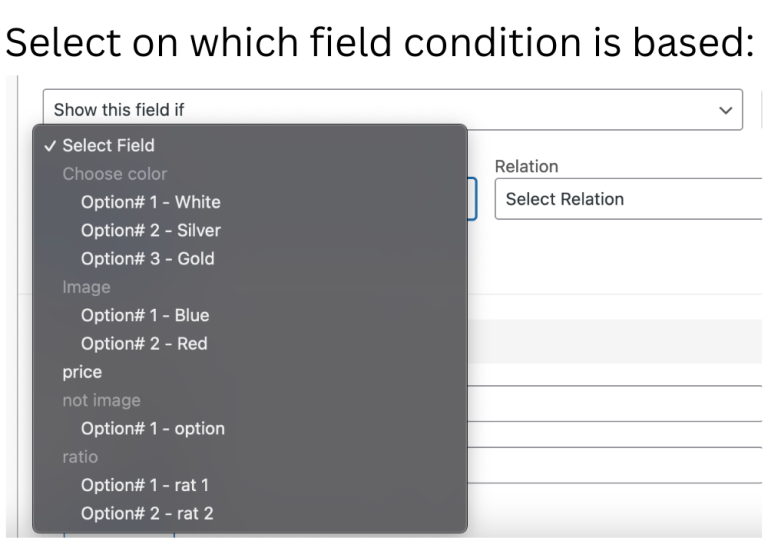
Dependencies for fields used as conditions
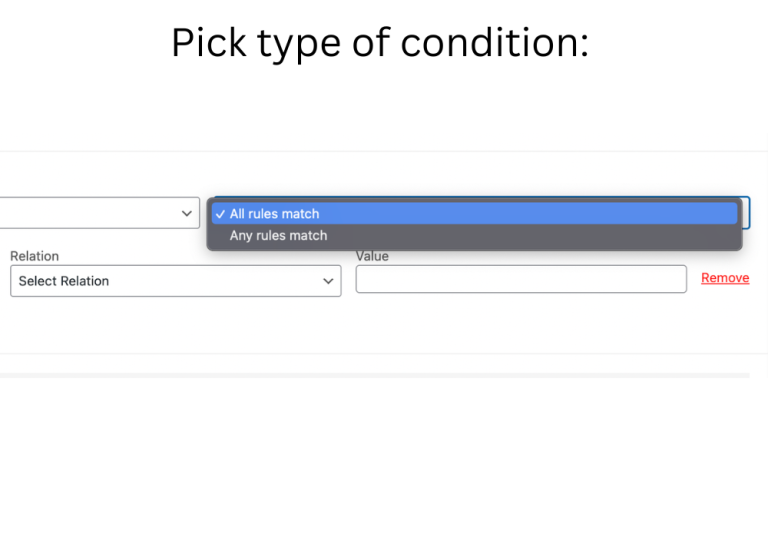
Two types - if all rules match or any (when condition works)
Condition types for Multiple choice and Checkboxes types of field
Condition types (relations) for text fields
Condition types for File upload type of field
Condition types for numeric types of fields

Pricing

1 Site

$49.99 / year
  • One year of updates & support
  • Lifetime option: $149.99 one-time
Get now

3 Sites

$99.99 / year
  • One year of updates & support per copy
  • Lifetime option: $259.99 one-time
Get now

25 Sites

$459.99 / year
  • One year of updates & support per copy
  • Lifetime option: $999.99 one-time
Get now

Questions before you start?

We answer every message — usually within one working day.